Cart
Cart


How to View Lead Info After a Tour in InstaShow+
Learn how to view lead info after a tour in InstaShow+. Follow up fast with this step-by-step mobile guide.

Step 1: Go to the Tours Tab
Open the InstaShow+ app and tap the Tours icon at the bottom of your screen.
Step 2: Find the Tour
Scroll through your tour history and select the tour connected to the visitor you’d like to follow up with.
Step 3: Open the Tour Details
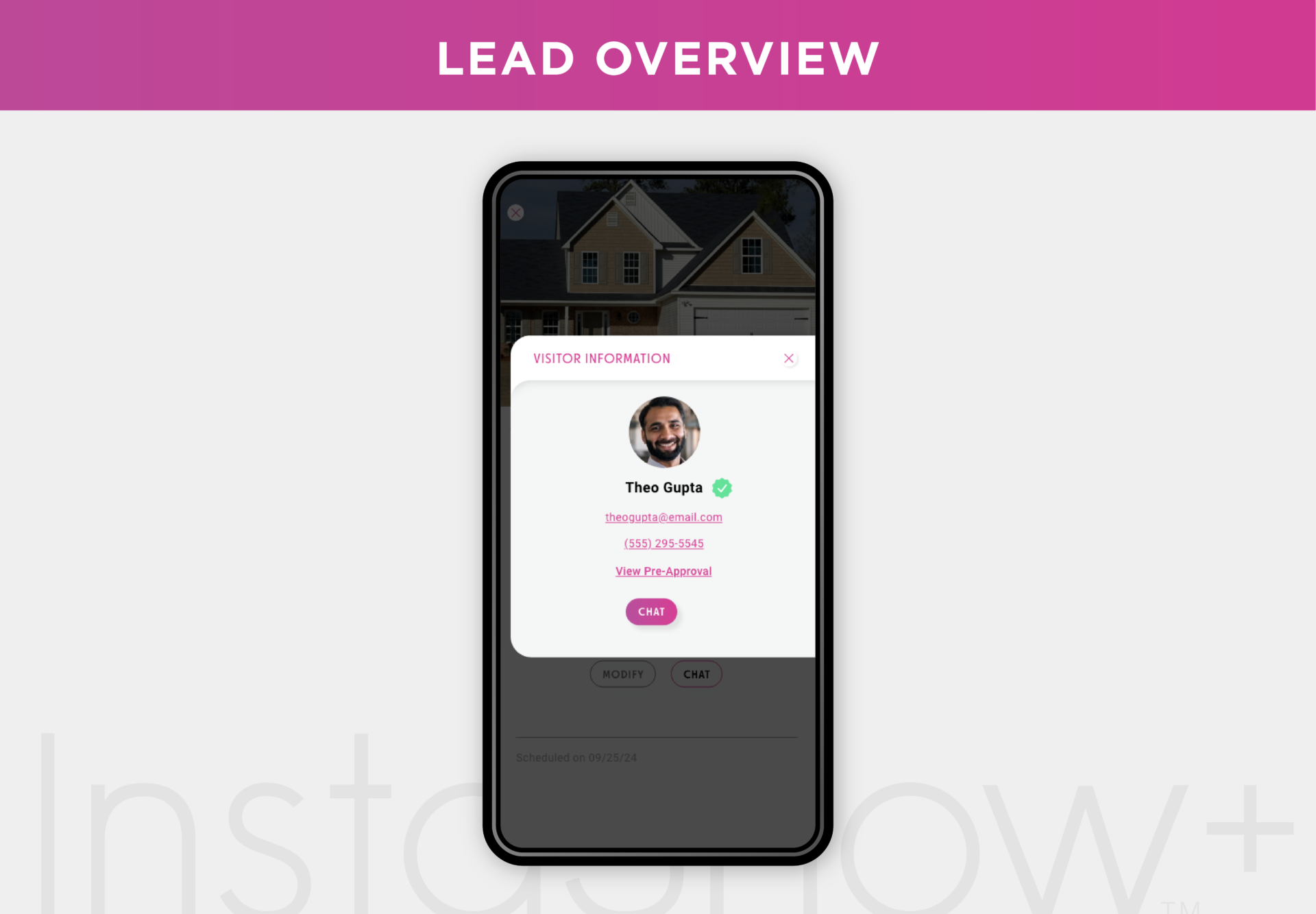
Inside the tour screen, you’ll find documents like touring agreements and pre-approval letters. To access the lead’s contact info, tap their profile photo.
Step 4: View Lead Information
A pop-up will appear with the lead’s contact details, so you can reach out and keep the conversation going.
Outro:
Following up has never been easier. With InstaShow+, staying connected to your leads is simple—even after the tour ends.
Stay up to date
Get the latest articles delivered to your inbox




Maximize your day in real estate with InstaShow+
Download the InstaShow+ App
Find everything you need for buying, selling and renting property in the InstaShow+ App!